The Workstation team is thrilled to introduce VMware Workstation 9.
It’s been 12 years since Workstation first launched and dramatically
changed the way technical professionals worked with virtual machines.
Since then the team has worked to bring bring innovation with each new
release. We feel Workstation 9 continues this tradition.
Workstation 9 builds on its broad operating system support, rich user
experience, and comprehensive feature set to bring you best-in-class
Windows 8 support, all new Web interface, restricted virtual machines
and much more. Not only does Workstation 9 change the way you work with
virtual machines whether they reside on your PC or in the datacenter,
it allows you to work when and where you want.
Let’s take a look at what Workstation 9 can do:

To
help you and your organization evaluate Windows 8, master the Metro UI
and test your applications, VMware Workstation 9 is optimized for
running Windows 8 virtual machines and running on Windows 8 PCs. Easy
Install simplifies the task of creating Windows 8 virtual machines,
Unity mode will intelligently scale to handle applications formerly
known as Metro and multi-touch support will ensure you get the true
Windows 8 experience in a virtual machine.
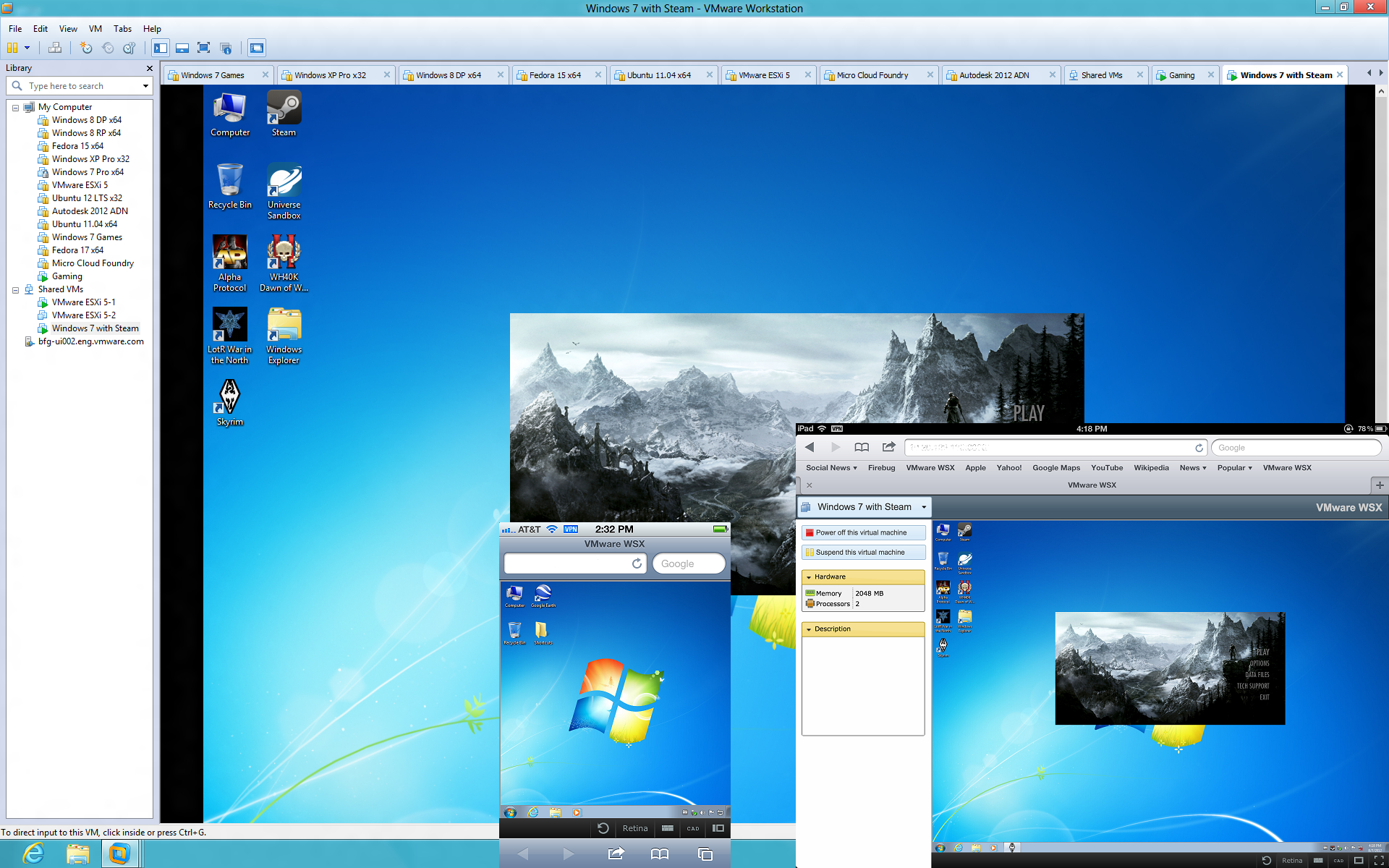
Workstation’s
new web interface allows you to access your virtual machines running in
Workstation or vSphere from a tablet, smart phone, PC or any device
with a modern browser. No plugins necessary. Now you can power on, off,
or suspend your virtual machines and interact with them from almost
anywhere.

Create
virtual machines that require a runtime password, and another password
to change virtual machine settings. Once set, send the virtual machine
with restrictions to anyone to run on their Mac, Windows, or Linux
machines by using Workstation 9, VMware Fusion 5, VMware Fusion 5
Professional, or VMware Player 5.

In
Workstation 8 we introduced the ability to upload a virtual machine
from your PC to vSphere. Workstation 9 takes the next step and allows
you to drag and drop a virtual machine from vSphere to your PC. It’s the
easiest way to move virtual machines between your PC and your internal
cloud.

Workstation
9 includes support for the new Windows Metro interface, significant
performance and rendering improvements to better support professional
graphical applications such as AutoCAD and SolidWorks, Anti-Aliasing,
OpenGL 2.1 for Linux operating systems and even an improved graphics
driver for Windows XP.
Read the VMware Workstation 9 release notes for a complete list of new features.
What if I just bought VMware Workstation 8?
If you purchased VMware Workstation 8 (Full license or upgrade)
between 08/01/2012 and 09/30/2012 you are eligible for a complimentary
electronic upgrade under the VMware Workstation 9 Technology Guarantee
Program (TGP). To learn how to get your complimentary upgrade click here.
If you cannot wait to for your complimentary upgrade to VMware Workstation 8, we suggest you make the most of our free 30-day trial offer.
Availability and pricing

VMware
Workstation 9 is immediately available for purchase from the VMware
online store for $249 (US) and upgrades from VMware Workstation 7.x and
8.x are available for $119 (US). VMware Workstation can also be
purchased through VMware’s network of resellers and distributors.
Customers with an active support and subscription (“SnS”) contract are eligible to upgrade to Workstation 9 for free in the My VMware portal. If you are not familiar with My VMware, check out this KB Article with video.
We hope you enjoy using VMware Workstation 9 as much as we enjoyed creating it.
The VMware Workstation Team


